

Farmers market management software built around the way a market actually runs.
From the season and vendor applications to maps, permits, invoices, and finances, Bluefield brings your entire market into one connected system. Each module works together, so information flows naturally from one part of your operation to the next.
With one place to look and one system for your team to learn, fewer things fall through the cracks. Your market runs more smoothly, your team spends less time managing disconnected tools, and vendors and customers get a better experience.
Every part is built in partnership with experienced market managers
“This is the first software I’ve seen that actually seems good at managing a market.”
“You have all the key things in one place, and each of them work better than the competition. Usually you have to pick map, or forms, or something else. You have it all.”
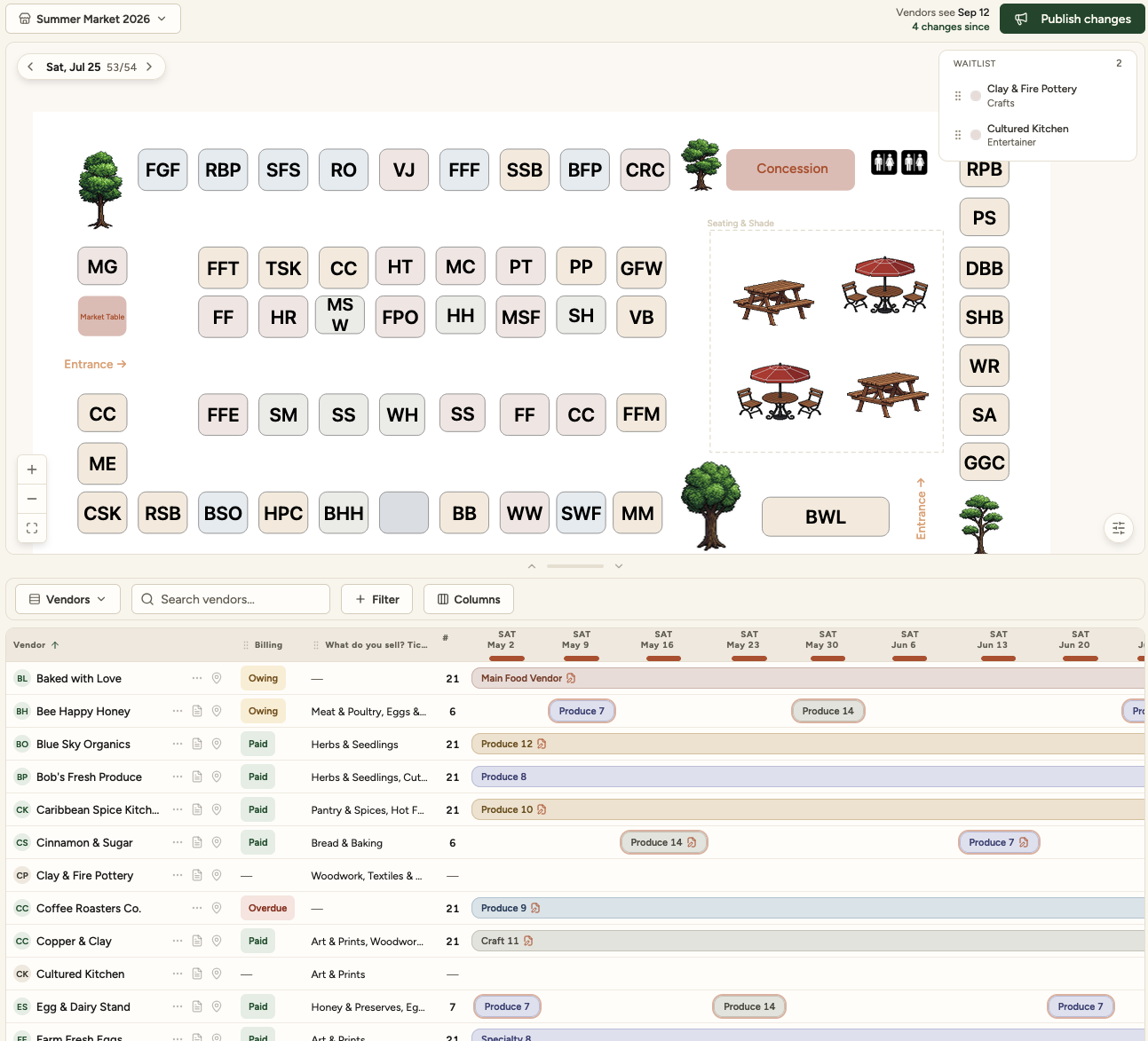
What is on this one screen
- Manage multiple markets and locations/times
- Control published vs draft information
- Easily and visually manage waitlist
- Drag and drop fully editable map
- Change how much map or data table to see
- Search, and filter for what you need
- Copy schedule to other dates for quick scheduling
- At a glance billing status
- Form/Application and any other info at your fingertips
- Add notes to bookings
Stop choosing which part of your market runs well
The map lives in one tool, the applications in another, the invoices in a third, and you keep a spreadsheet beside all of them to hold what none of them do. Every gap between those is somewhere the work doubles and a number goes wrong. Here is the whole operation instead, one screen at a time.
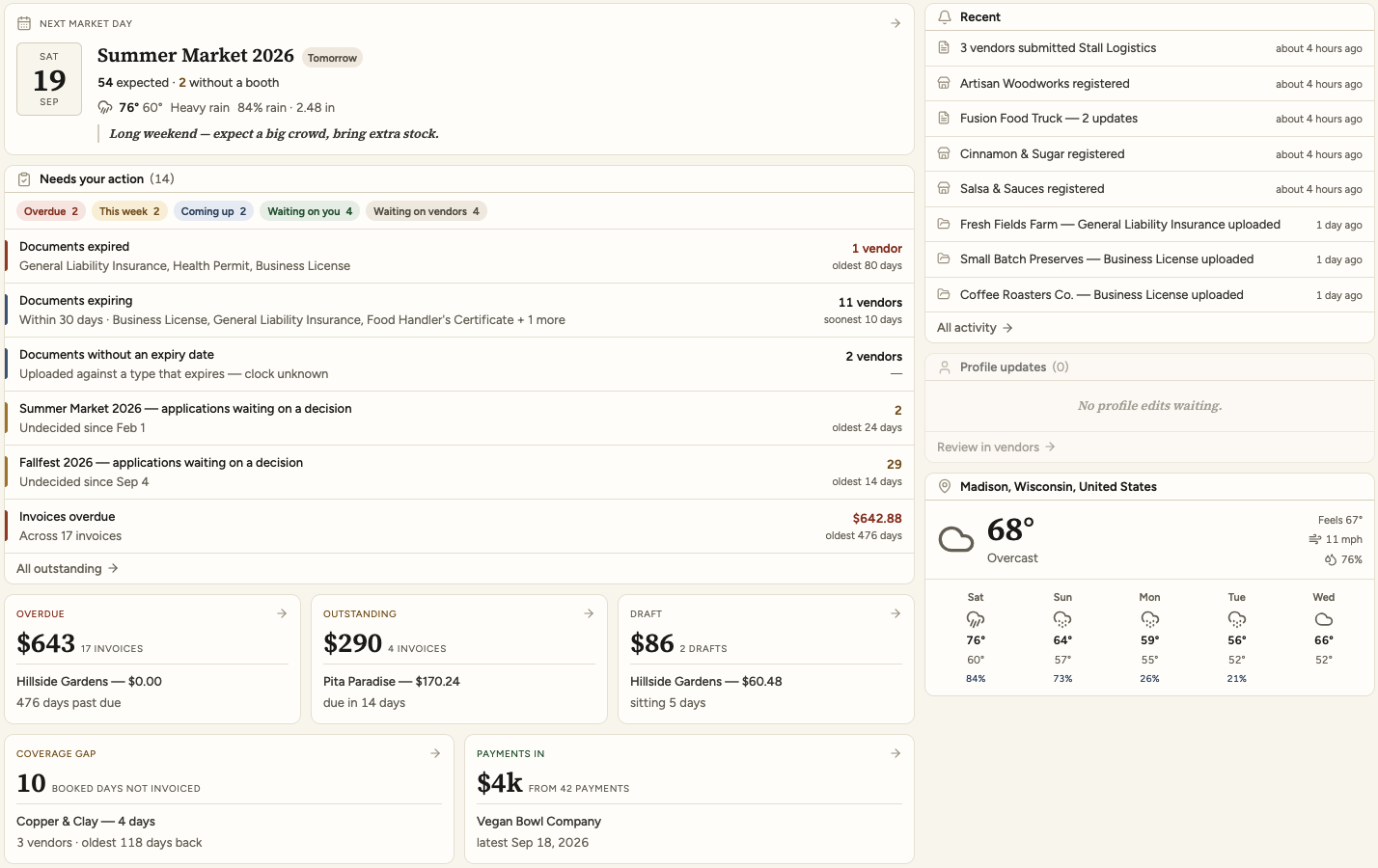
A clear picture of what’s happening and what needs to happen next.
The next market day and who is expected, everything outstanding grouped by how urgent it is, and what you are owed. It is always up to date, because it is worked out from your applications, documents and invoices as they stand, not updated by hand.
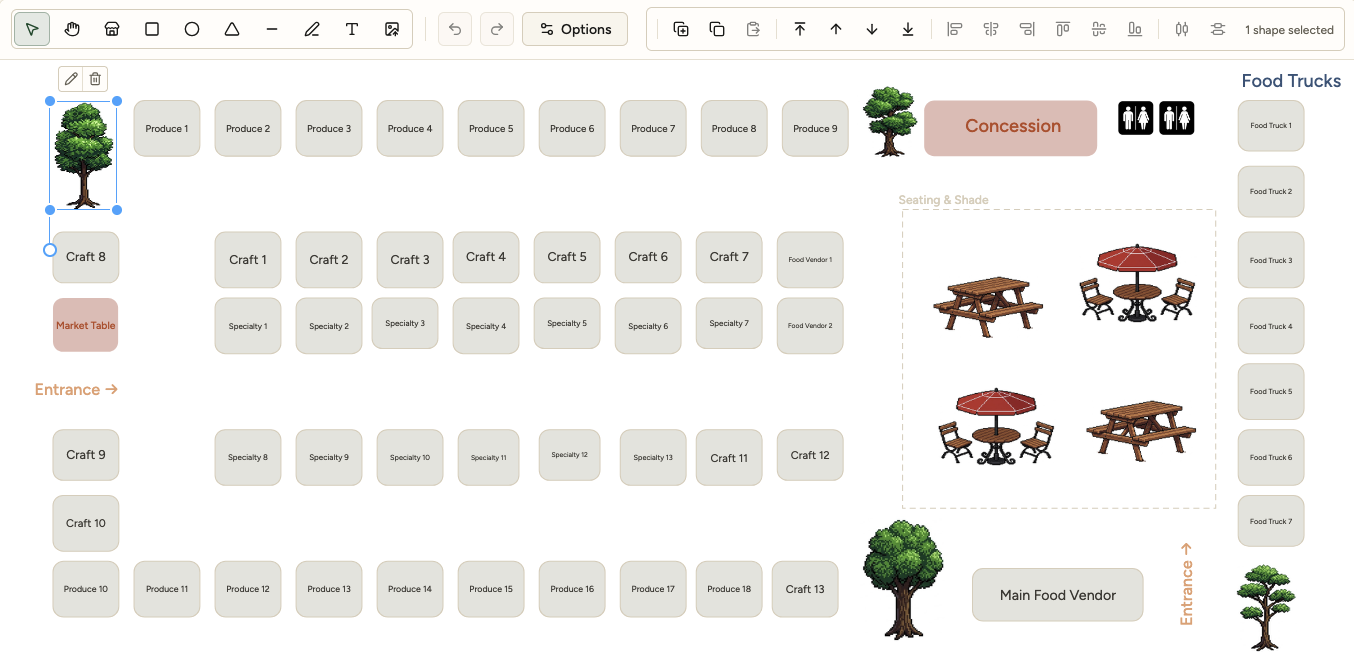
Draw the site, then place the whole season on it
Draw the site and name your areas the way you do: Produce, Craft, Specialty. Add the things that make your market yours: trees, entrances, truck access, seating, and everything else around the stalls. Then bring the season onto the map, so your layout, vendor roster, and every operating day come together in one place. See at a glance that 54 of 54 booths are filled for the 19th, with two vendors waiting for a spot, without piecing the answer together from separate lists and spreadsheets.
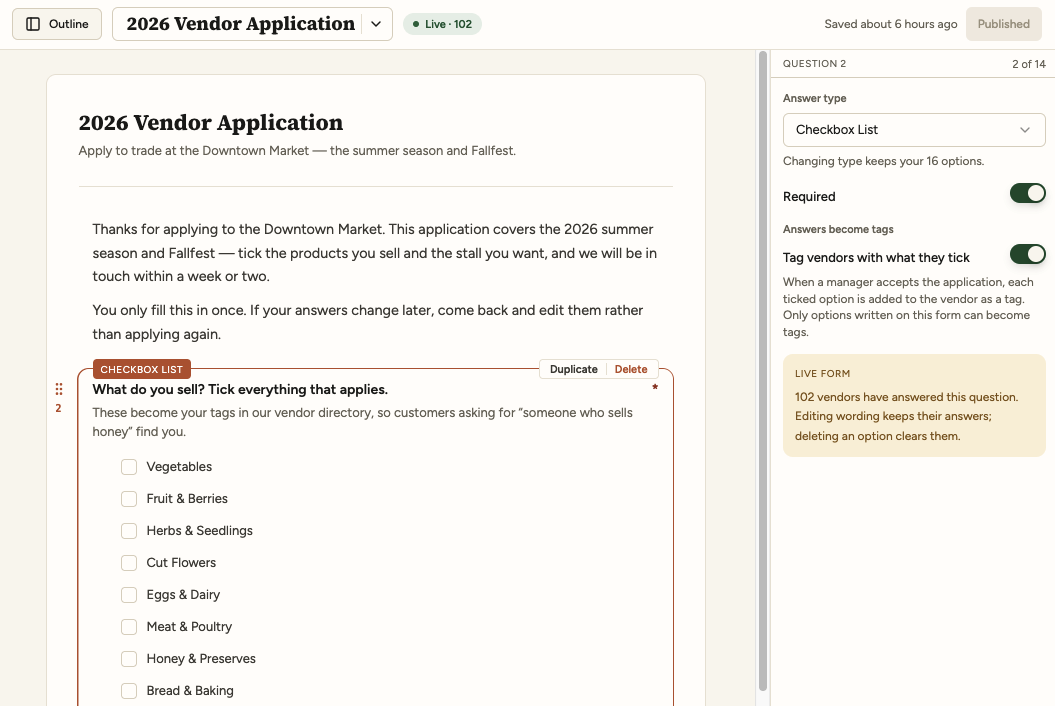
The application, in your own words
Write the form the way you ask it out loud, then edit it mid-season without losing the answers you already have. This question is live: a hundred and two vendors have answered it.
Documents that expire, watched for you
Keep certificates, permits, and other documents on file, ready to open whenever you need them, with expiry dates flagged automatically. Vendors upload their own renewals, so chasing paperwork stops being the market manager’s job. Bluefield keeps track of what is current, what is due soon, and what needs attention before it becomes a problem.

The books reconcile because nothing was typed twice
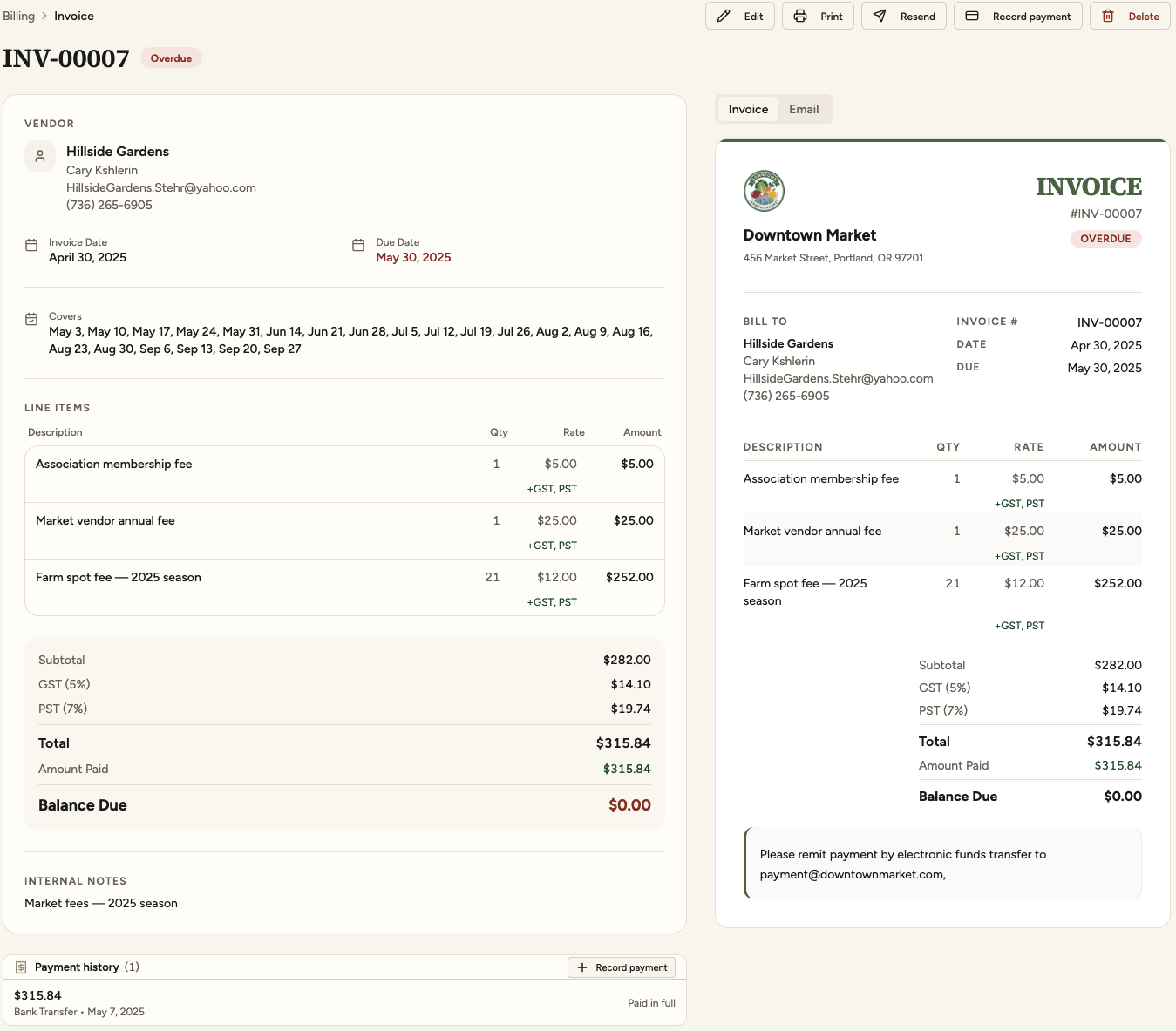
Every booking creates its own invoice, whether the vendor is in for the full season, drops in for a day, or changes plans mid-season, with taxes worked out line by line. You can still invoice for anything else, any time: a power hookup, an extra table, a cleanup fee. Refunds and credits go through the same way, so it all lands in the same books. Each invoice goes out with a payment link, so you aren’t chasing anyone. Everything flows into your accounting software, and every line on your books traces back to the booking that created it.
Vendors keep their own records, and the back-and-forth stops
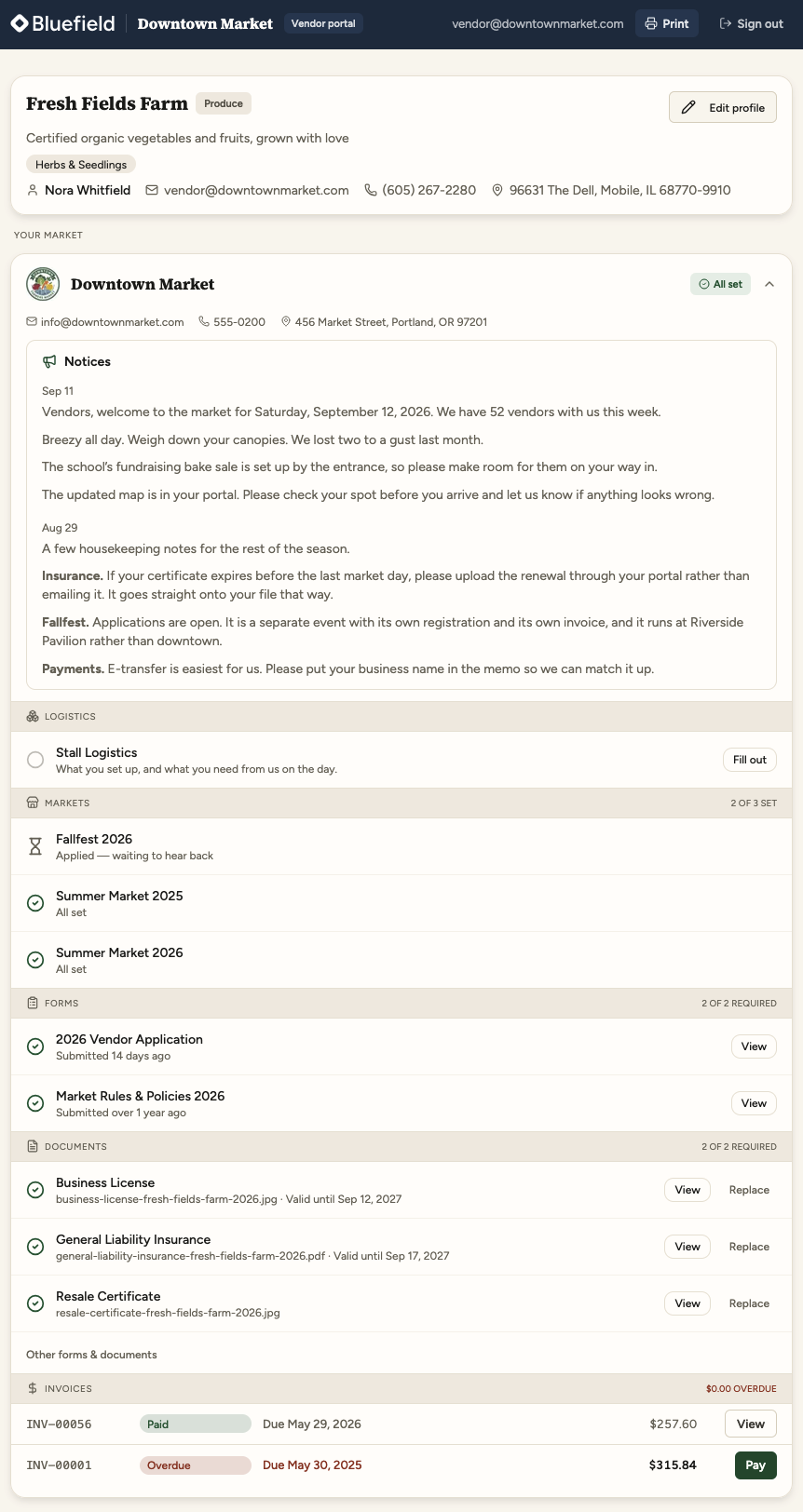
Every vendor gets their own portal, free, and the three things you used to chase them for move into it. Logistics: they apply, fill in your forms and see where they’re placed. Compliance: they keep their own documents current, and you see what’s expiring before it’s a problem. Payments: their invoices are waiting there with a link to pay. Each is easier on both ends, and none of it needs an email or a phone call. Vendors like it as much as you do, because one portal covers every market they sell at: when one market flags an expired certificate and they upload the new one, every other market that asks for it is up to date too.
Every part properly engineered,
and built to be depended on season after season.

Send us whatever you have, and switch when your season allows
We move you from any system, spreadsheet or pile of paper, your data cleaned and migrated, in one to two business days.
One to two business days
The migration itself, complex markets included, then a walkthrough on your own data. You keep running as you are until you have checked it.
Nothing to prepare
Spreadsheets, an export from your current system, a hand-drawn site map, printed application forms, certificates in an email folder. No template to fill in, and it arrives as one market, not six files side by side.
Errors fixed or flagged
Every source is checked against the others. We correct what can be corrected and write down what we could not decide for you, so you hear about it now, not from a vendor in March.
“Your import found over a thousand dollars that was lost in our mess!”
Months left on your contract are months free on ours
Three months left with your current provider is three months of Bluefield Software, free. Switching never means writing off what you have already paid for.
Is it expensive? Probably not.
A 22-vendor Saturday street market and a 200-vendor, one-day Christmas market are both farmers markets, and no price list is right for both. So we price your market, not a menu, and you decide most of what goes into it. For some markets the total goes down, because they stop paying for four or five separate tools.
A real price, within one business day
Tell us about your market in a couple of sentences, or what you’ve been quoted elsewhere, and we send back a price, in writing. Happy to talk it through on a call, if you’d like.
Questions managers ask
If yours isn’t here, ask us. It’s exactly what a demo call is for.

See it against your own market
Half an hour, no obligation, and you talk to the people who build it. Bring your worst spreadsheet and the question you have never been able to answer quickly.